Congratulations! If you’ve made your way to this lesson, it means that you’re now ready to open a demo or live MetaTrader 4 (MT4) trading account.
And because #BeginnerTalk# is the bee’s knees, we’re here to guide you through it.
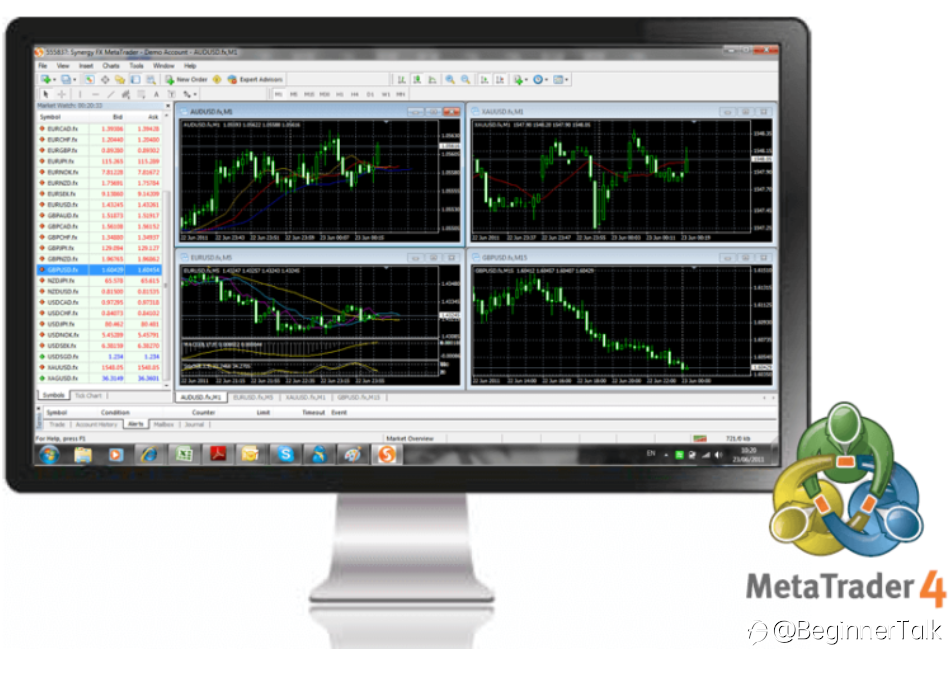
First, you should know that MetaTrader 4 (MT4) is simply a trading platform used by tons of traders and brokers.
Traders use it to view real-time currency prices, open or adjust orders, get technical and fundamental analysis. Meanwhile, brokers use the MT4 platform to reach a broader audience.
What’s good about the MT4 platform is that it offers boatloads of currency pairs and indicators that you can choose from.
Not only that, but its customizable charts are so newbie-friendly that any six-year-old kid can spot breakout patterns from it.
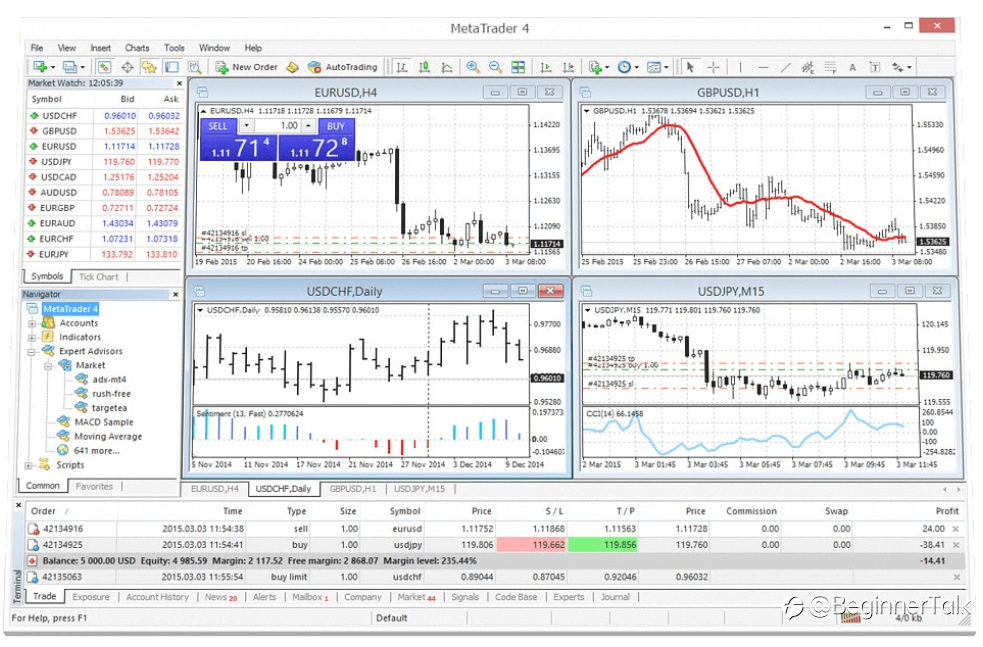
Mechanical traders can also plug in their EAs in the MT4 platform. This makes it easy for them to track trade opportunities.
The MT4 platform can’t be accessed through a website though. You have to install the platform on your computer or your phone before you can gain access to your trades and currency prices.
Want to open your account now? Here’s how:
Step-by-Step Instructions:
Step 1: Set up your MT4 account
a) Download and install MT4.exe
b) Carefully fill in the account details.
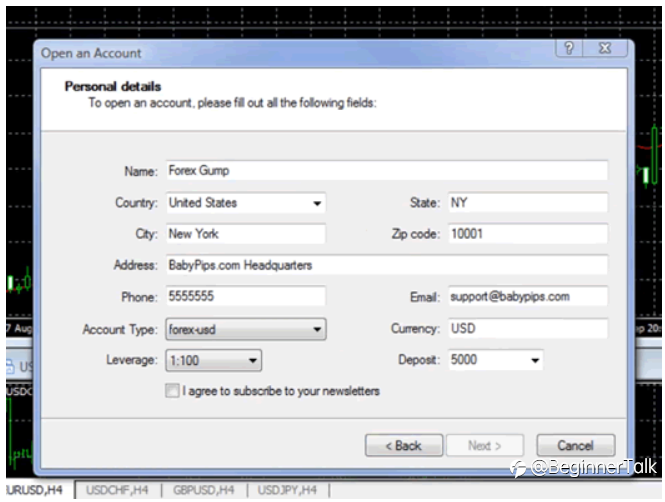
Step 2: Record your account details
a) Record and keep a copy of your account login information before exiting the registration process.
b) With MT4, you are able to create and access multiple accounts without exiting the program. Please pay attention to which account you are using before placing trades and orders.
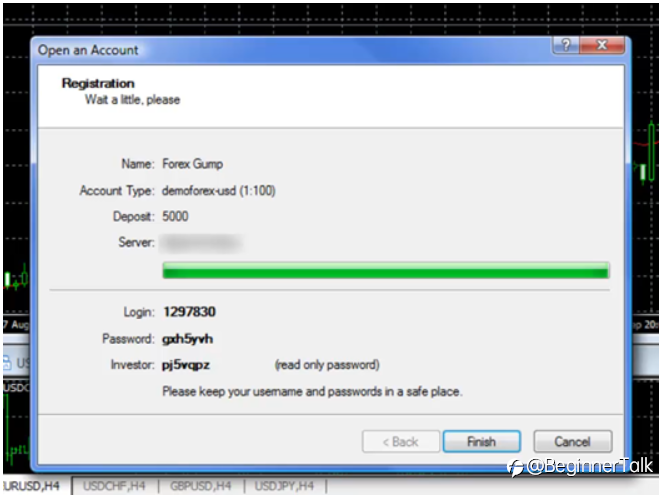
As much as we’d like you to go forth and make live pips, we HIGHLY ENCOURAGE you to try demo trading first.
This way you’ll get the feel of the platform without putting any of your hard-earned capital at risk.
Besides, unlike in live trading, you can always add to your capital or open a new one if you blow out your account or if your demo account expires.
Reprinted from Babypips, the copyright all reserved by the original author.
면책 조항: 본 게시글에 표현된 견해는 전적으로 작성자의 견해이며 Followme의 공식 입장을 대변하지 않습니다. Followme는 제공된 정보의 정확성, 완전성 또는 신뢰성에 대해 책임을 지지 않으며, 서면으로 명시적으로 언급되지 않는 한 해당 내용을 기반으로 취해진 어떠한 조치에 대해서도 책임을 지지 않습니다.