


Function:
1.Function Optimization
Quotation system has been updated, which supports obtaining SAM quote / account fund information; SAM trading account transactions are not available
2.New Features
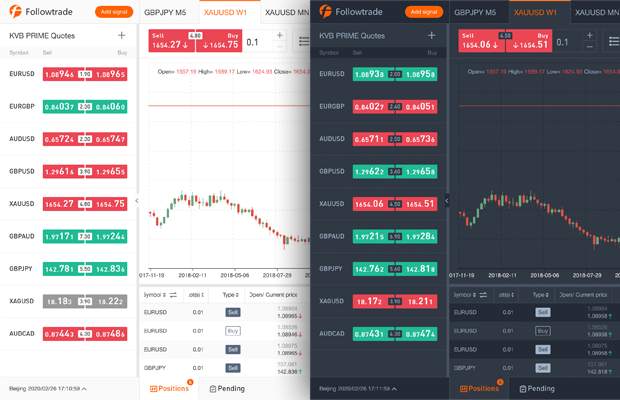
Theme skin: grey, dark
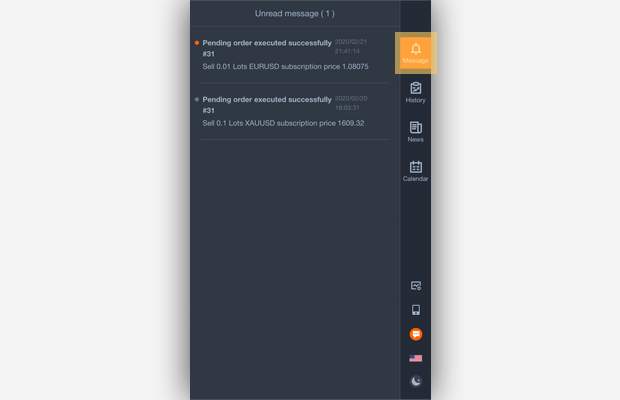
Messages received: when pending order is triggered successfully/failed, when net value protection is triggered, push important information
3. Function Adjustment
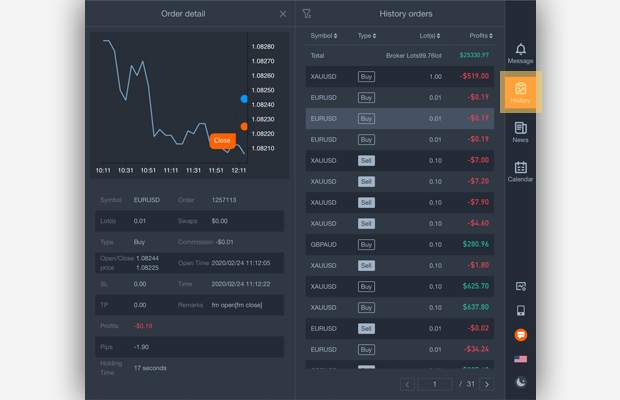
History orders has been moved to the right navigation
Interactive Operation:
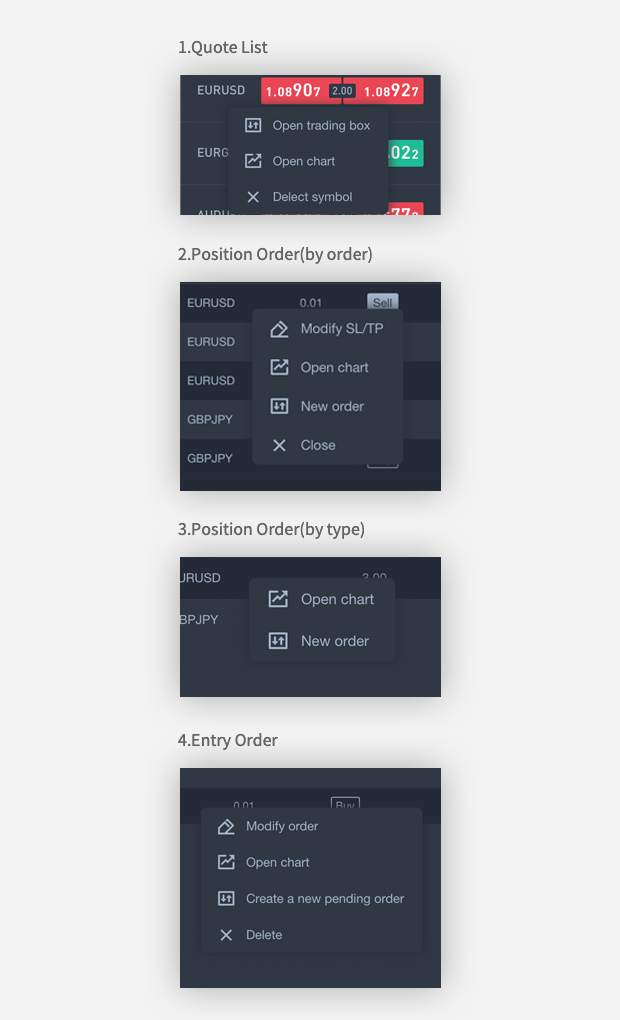
1.Right-click Operation
Quote List: Open trading box, Open chart, Delete symbol
Position order (by order): Modify SL / TP, Open chart, New order, Close.
Position Orders (by type): Open chart, New order.
Entry orders: Modify orders, Open charts, Create a new pending order, Delete.
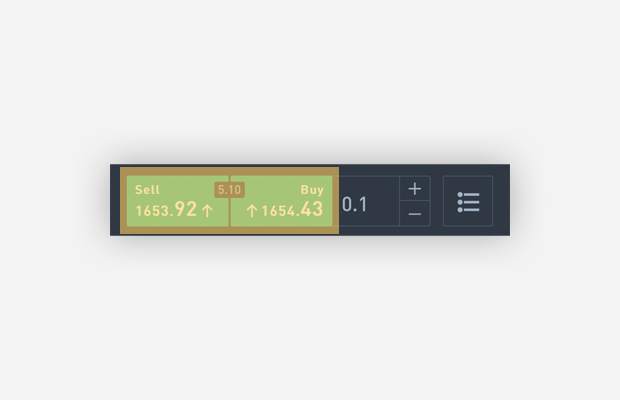
2. Quick Order--To use this function, please go to “Settings” and turn on "Quick Order"
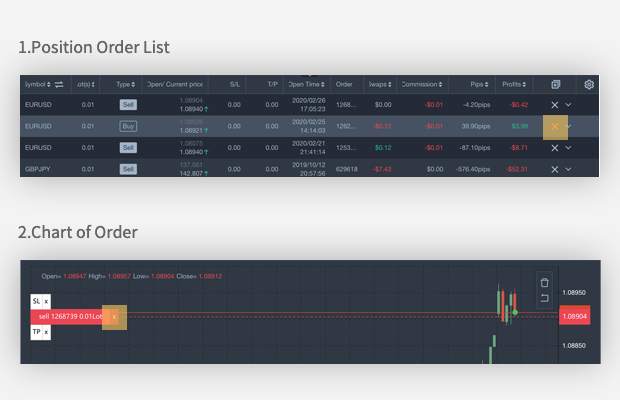
3. Quick close- To use this function, please go to Settings and turn on " Quick close"
Position Order List "X"
Chart of Order "X"
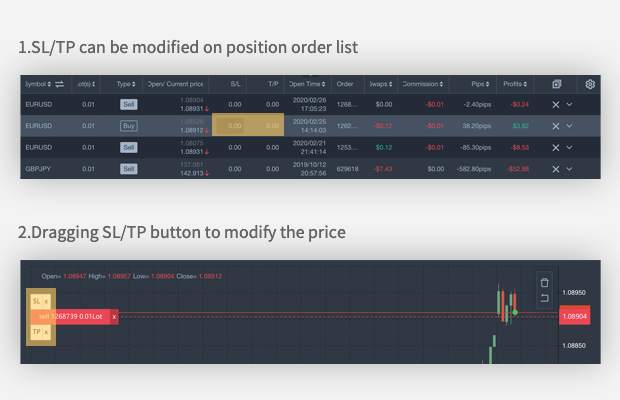
4.Quickly modify SL / TP
SL/TP can be modified on position order list
Dragging SL/TP button to modify the price
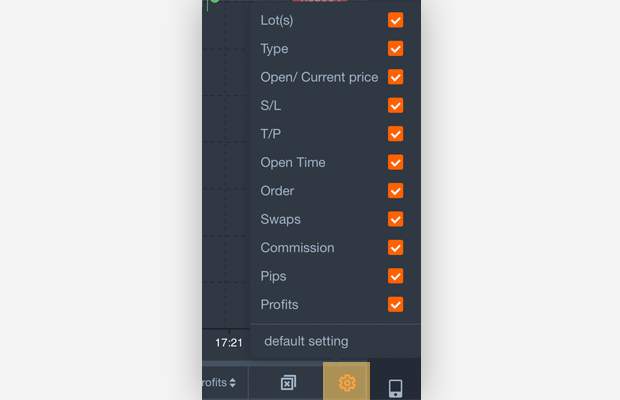
5.Custom parameters setting
The position & pending order list parameters can be clicked to show / hide
#followmeguidence#
면책 조항: 본 게시글에 표현된 견해는 전적으로 작성자의 견해이며 Followme의 공식 입장을 대변하지 않습니다. Followme는 제공된 정보의 정확성, 완전성 또는 신뢰성에 대해 책임을 지지 않으며, 서면으로 명시적으로 언급되지 않는 한 해당 내용을 기반으로 취해진 어떠한 조치에 대해서도 책임을 지지 않습니다.

더 오래된 의견은 없습니다. 소파를 가장 먼저 잡으십시오.